
Compare desktop productivity suites available through volume licensing
Microsoft 365 Apps for enterprise offers the latest versions of familiar desktop productivity apps like Word, Excel, and PowerPoint, plus cloud file sharing and storage. Office Long Term Servicing Channel (LTSC) 2024 provides an incremental upgrade for customers who cannot yet move to the cloud.
Office LTSC Standard 2024
Classic desktop productivity apps for one PC.
Everything in Business Basic, plus:
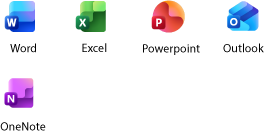
Classic 2024 versions of Word, Excel, PowerPoint, and Outlook installed on one PC
Administrator group policy and volume activation
Terminal services for remote computers and virtual machines
App telemetry
Windows Rights Management Services for Windows Server
Microsoft 365 Copilot, available as an add-on
Anytime phone and web support
Applications included:
Office LTSC Professional Plus 2024
Classic desktop productivity apps and database management for one PC.
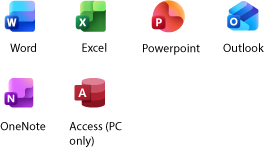
Classic 2024 versions of Word, Excel, PowerPoint, and Outlook installed on one PC
Administrator group policy and volume activation
Terminal services for remote computers and virtual machines
App telemetry
Windows Rights Management Services for Windows Server
Microsoft Access (PC only)
Microsoft 365 Copilot, available as an add-on
Applications included:
Office LTSC Standard for Mac 2024
Classic desktop productivity apps for one Mac.
Everything in Business Basic, plus:
Classic 2024 versions of Word, Excel, PowerPoint, and Outlook installed on one Mac
Administrator volume activation
10+ additional apps for your business needs (Microsoft Bookings, Planner, Forms, and others)
Automatic spam and malware filtering
Anytime phone and web support
AI chat experience with web grounding, writing assistance, data analysis, and access to agents
Applications included:
Microsoft 365 Apps for enterprise
Always up-to-date productivity apps and services for desktop, tablet, mobile, and web.
Everything in Business Basic, plus:
Cloud-backed productivity apps installed on up to five PCs or Macs, five tablets, and five mobile devices
Microsoft 365 on the web with create and edit rights for online versions of core Microsoft 365 apps
1 TB of OneDrive cloud storage
Anytime phone and web support
Microsoft 365 Copilot available as an add-on
1 TB of cloud storage per employee
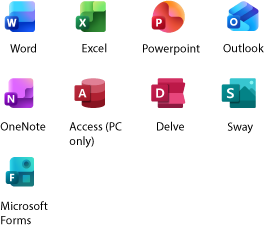
Applications included:
Official Partnership
India’s #1 Software Marketplace for Growing Businesses
10000+
Satisfied Customers
24 hrs
Technical Support
99%
Customer Satisfaction
8+
Years Experience
Why Choose Cspkart
Take advantage of competitive pricing with our wholesale price list
Access a full range of value-added tools, products, and services from a single platform.
Improve customer satisfaction through multiple engagement touchpoints. Concise
Experience peace of mind with our expert technical support team by your side.
Have a dedicated representative as your primary contact to ensure customer satisfaction
Join over 10,000 satisfied customers across India
Leverage our decade-long experience of expertise in Cloud Technology.
Our strong understanding of Cloud security
Enjoy prompt and reliable customer support
Also Available at






What Our Client Says
Price is very competitive & highly recommended.
I was able to choose and pay for the software without any hassle.
Purchasing of O365 was a charm. Price point was also competitive.
I purchased Microsoft 365 family and worked perfectly
got the key in 15min. acvitated without issue
Connect with a product specialist to get started
Choosing the right plan is just the beginning — our product specialists are here to guide you every step of the way.
Whether you have questions about plans, setup, or anything else, we’re ready to help.
Start a live chat to get quick answers to all your questions.
Schedule a call with a product specialist to discuss plans and more.
Frequently asked questions
What forms of payment can I use?
All major credit cards are accepted. When paying with a credit card, your subscription amount will appear on your credit card statement. Existing customers may be eligible to pay by invoice and can contact support to check their eligibility for this payment method. For Microsoft 365 plans, depending on your choice of service, you’ll be billed monthly or annually.
What’s the difference between monthly and annual commitment subscriptions?
To provide you with the greatest amount of flexibility, different commitment terms and payment options are available.
- Monthly commitment with monthly payment: Sign up for a monthly subscription and pay month-to-month and cancel at any time.
- Annual commitment with monthly payment: Sign up for a one-year subscription and pay monthly.
- Annual commitment with annual payment: Sign up for a one-year subscription and pay for the entire year upfront.
What benefits do I get from business plan options that I can’t get with Microsoft 365 Personal and Family?
Microsoft 365 Business Basic, Business Standard, and Business Premium offer advanced tools and features specifically designed for businesses, including:
- Professional business email: Create and use a branded email address with your business domain (e.g., yourname@yourbusiness.com).
- Admin and IT management controls: Manage access, permissions, and devices through the Microsoft 365 admin center, which is designed for businesses.
- Scalability: Easily add users or upgrade plans as your business grows, with flexible licensing options that adapt to your changing needs.
- Enhanced security features: Protect your business against email phishing, spam, and malware with Exchange Online Protection. Business Premium also includes Microsoft Defender for Business, offering ransomware protection with automatic threat disruption, advanced antivirus capabilities, and tools for managing vulnerabilities.
- Advanced collaboration tools: For plans with Microsoft Teams, access enhanced features such as meeting recordings, transcription, and team workspaces optimized for business collaboration.
- Business apps: Run your business with tools such as Microsoft Bookings for appointment scheduling.
- Microsoft 365 Copilot: Available as an add-on, Microsoft 365 Copilot is an AI assistant for work that boosts productivity and creativity to help you grow and run your business.
What types of AI features do I get with business plan options?
Get AI features, including grammar and style suggestions with Microsoft Editor, focused inbox and suggested replies in Outlook, and live captions and meeting transcription in plans with Teams. For business users signed in with a Microsoft Entra ID, Microsoft 365 Copilot Chat offers limited AI-powered chat with enterprise data protection. While Copilot Chat uses public web data for tasks such as research and analysis, it doesn’t integrate with Microsoft 365 apps or organizational content such as files, emails, or chats. For deeper integration and extensibility, businesses should purchase Microsoft 365 Copilot as an add-on, which connects directly to productivity apps and organizational data
What happens to my data if I cancel my subscription?
Your data is yours. If you decide to cancel your Microsoft 365 subscription, you can download your data—for example, email and documents on team sites—and save it to another location. You should save your data before you cancel. After you cancel your subscription, data associated with your Microsoft 365 account will be available to your administrator(s) in a limited function account for 90 days.
Will Microsoft 365 be identical on a PC and on a Mac?
No. Microsoft 365’s applications are tailored for each platform and each operating system. The applications available for Mac users and the specific features included may be different from those available for PC users. With Microsoft 365, you can be flexible. With your account, you are not limited to exclusively Mac or exclusively PC, so you can transition across devices.